The desktop app has every feature. The web and mobile apps share the reading and study features. Listening and presenting come to the Mac first. Each feature shows where it runs and how we know.
01
Read
The text itself, in the translations and the look you choose.
Reader, Interlinear and Parallel
Read one translation, compare up to four side by side, or read the Greek and Hebrew word by word.
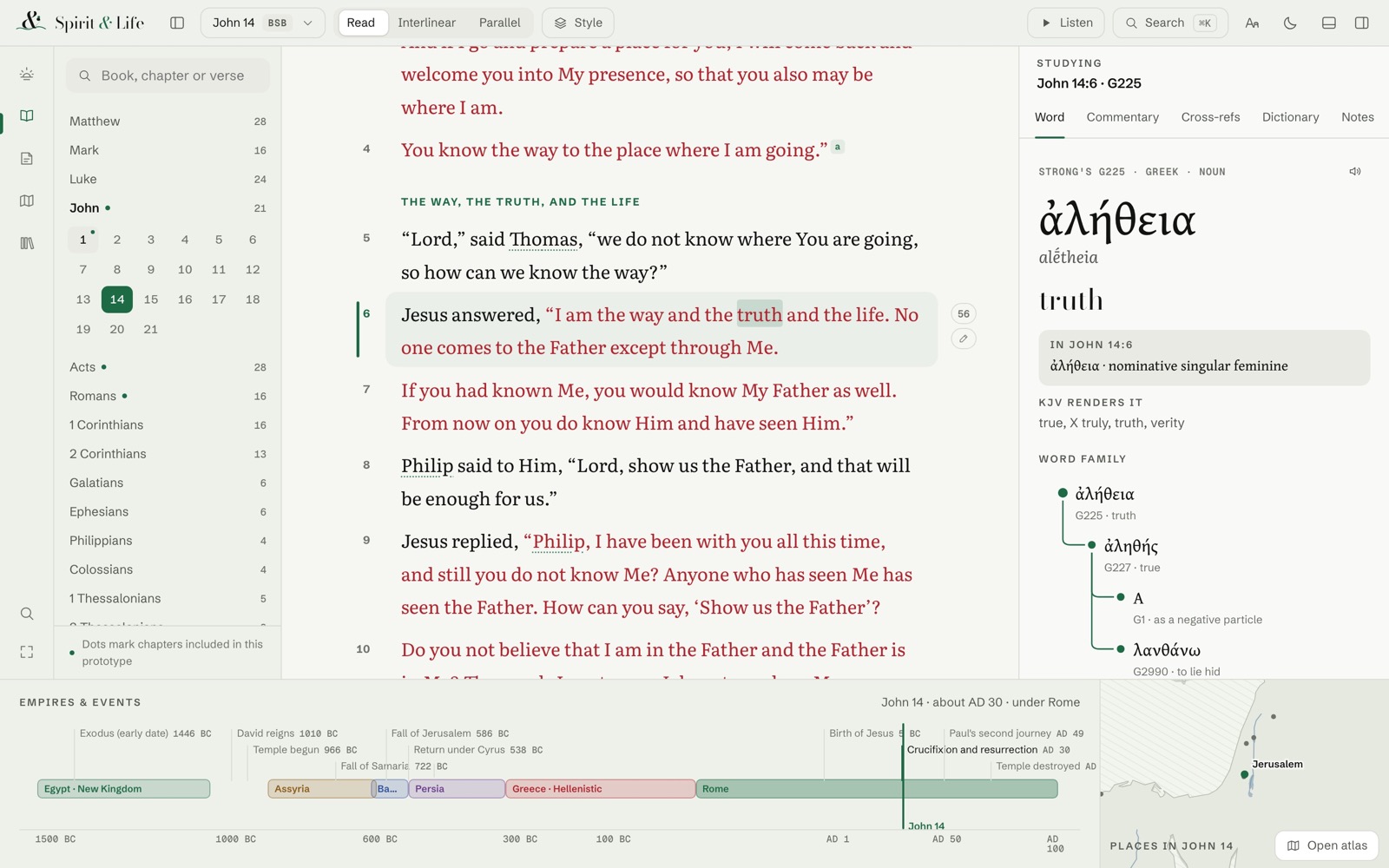
Read view sets the text in a calm single column with verse numbers, section headings and the words of Christ in red.
Interlinear view lines up each Greek or Hebrew word with its English meaning and Strong’s number.
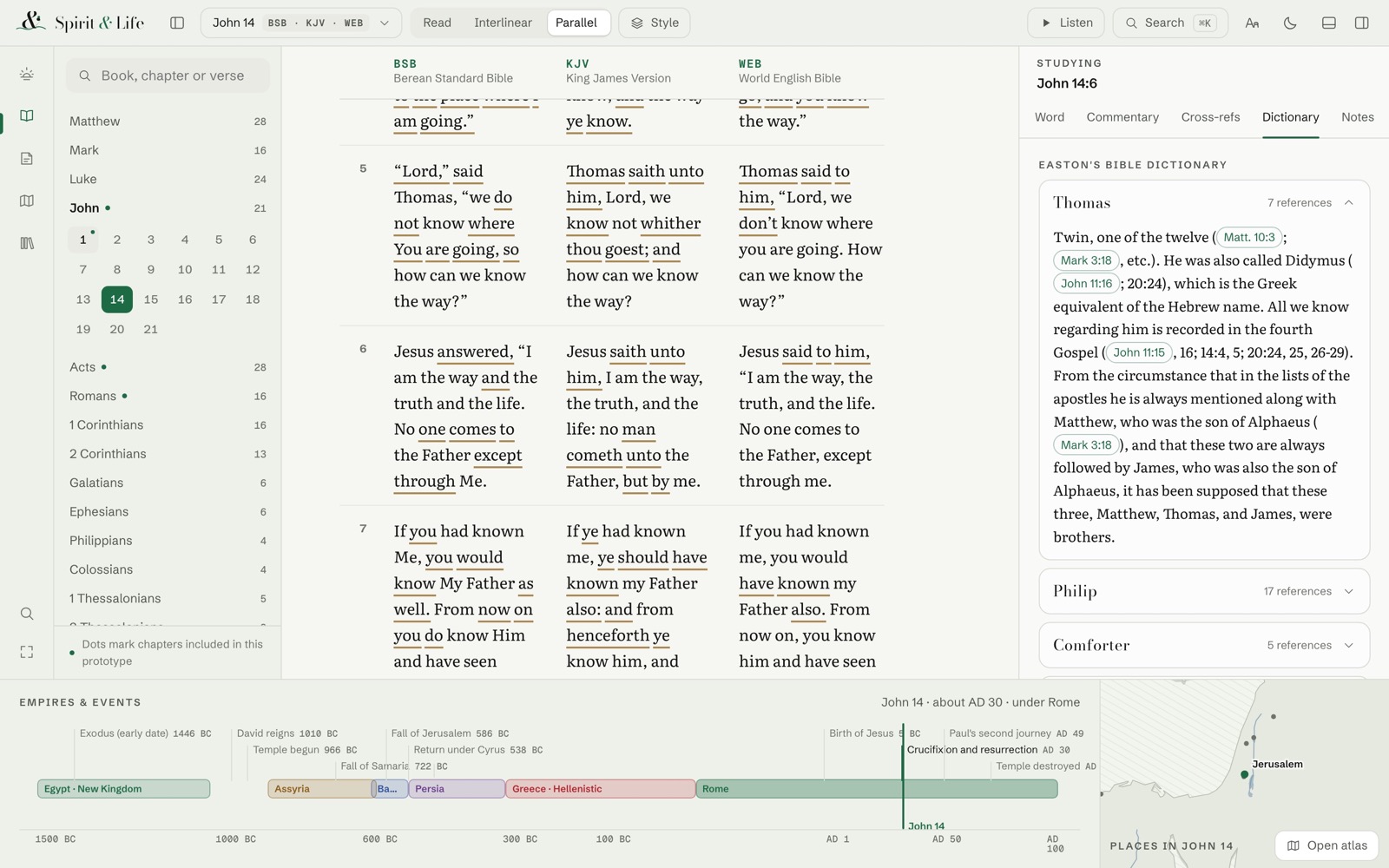
Parallel view shows two to four translations in columns and marks the words that differ.
Changing translation keeps your place. If a translation lacks a book, the reader says so instead of showing a blank page.
WebDesktopMobile
Reading aids
Optional aids that help the eye: Bionic, BeeLine, chromatic verses and semantic highlights.
Bionic makes the start of each word bold, in three strengths.
BeeLine shades each line so your eye finds the next one.
Chromatic verses give each verse its own hue. Semantic highlighting marks divine names, commands and promises.
Each aid can be turned on or off without changing the text.
WebDesktopMobile
Two looks and typography
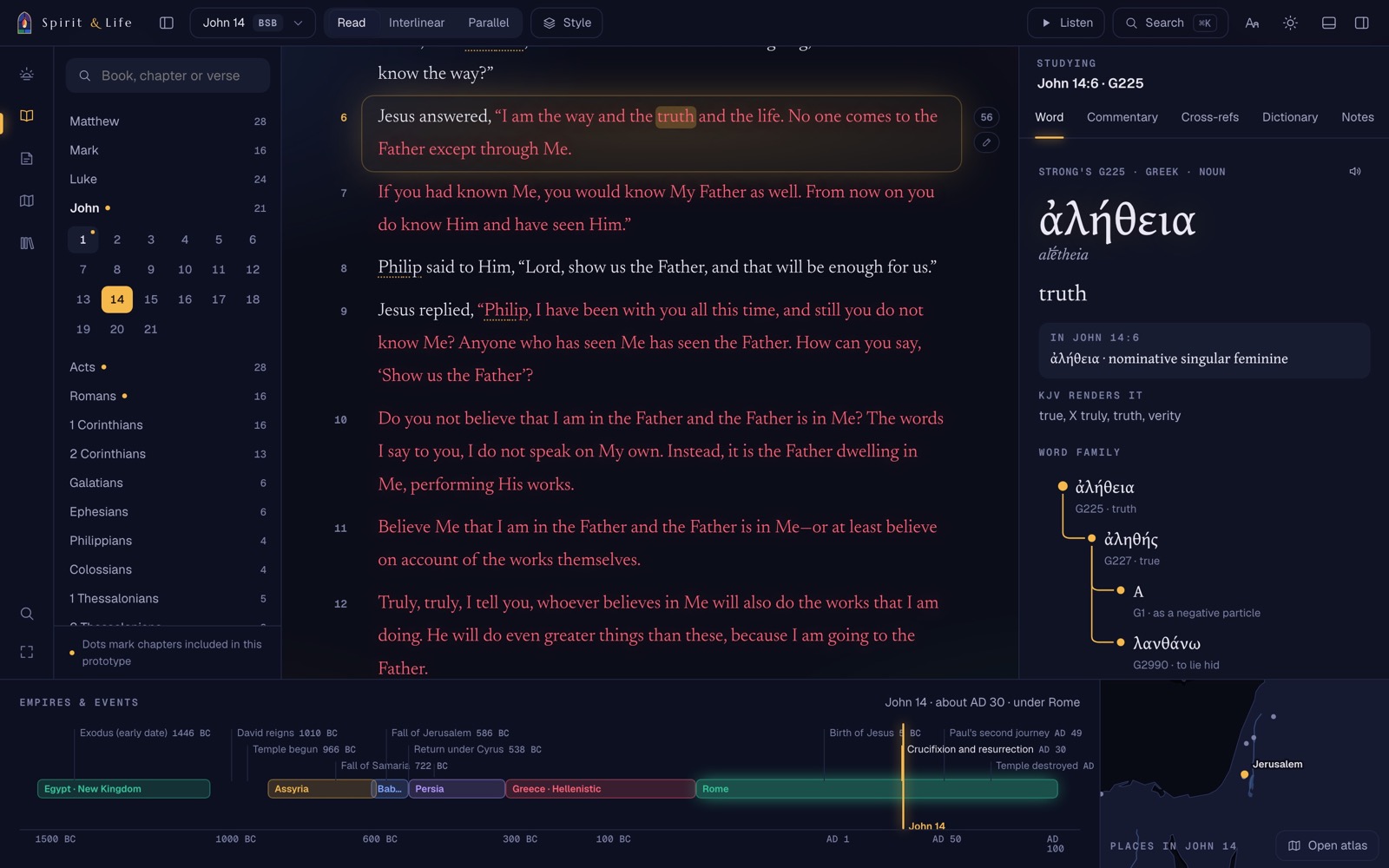
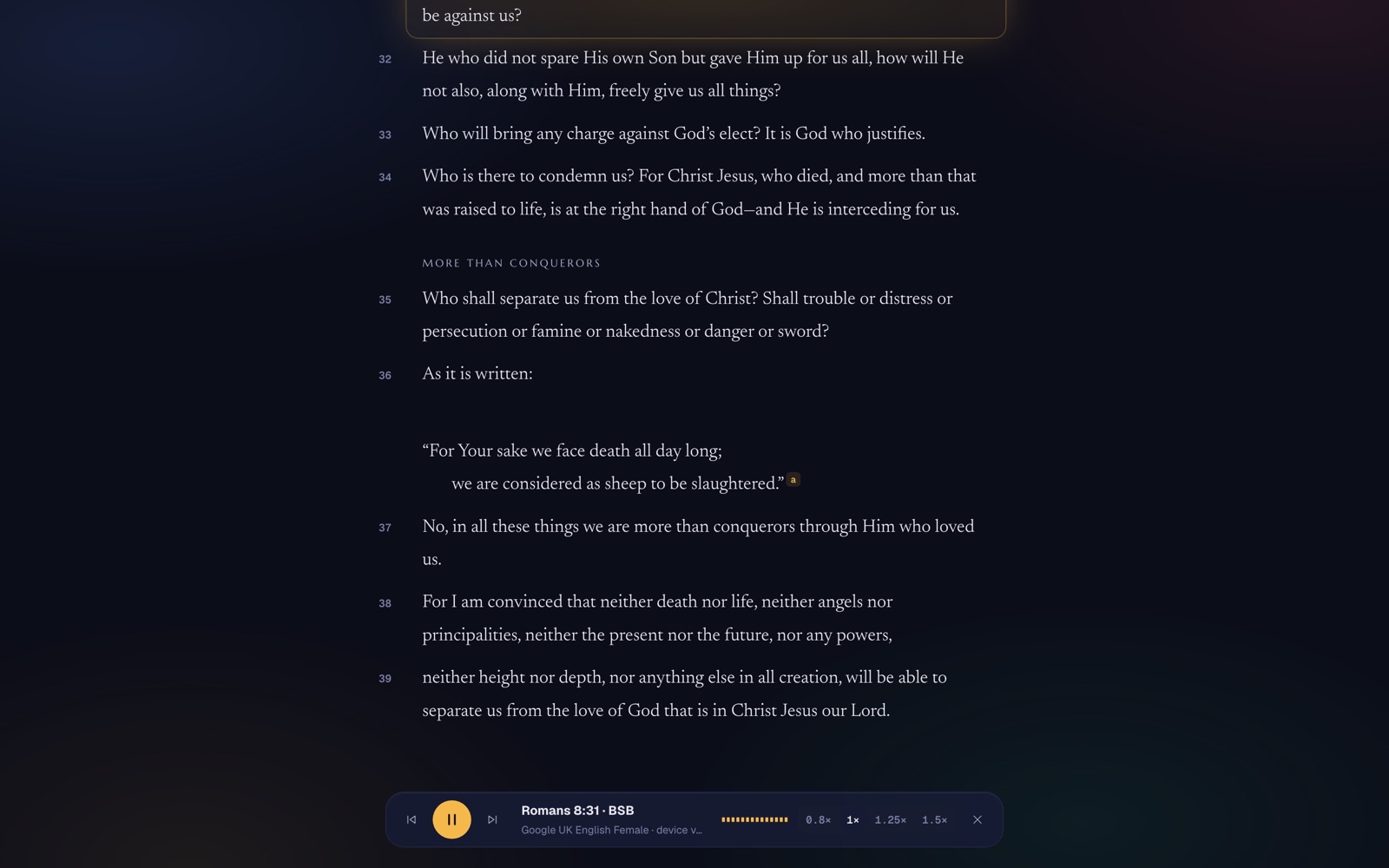
Living Word (light) and Sanctuary (dark), or follow your device, with full control over type.
Living Word looks like paper and ink, with a green accent. Sanctuary is dark and lit with amber.
Scripture, heading and interface fonts can each be changed, including Atkinson Hyperlegible for easier reading.
WebDesktopMobile
02
Study
Tools that open beside the verse, so you keep your place.
Study dock
Word study, commentaries, cross-references, a dictionary and a concordance beside the text.
Tap a word to see the original, its Strong’s entry and where else it appears.
Cross-references open as previews you can quote into a note.
Commentaries, dictionaries and topics are separate downloads, so you keep only what you use.
WebDesktopMobile
Search and command palette
One search for Scripture, words, people, places, topics, dictionaries and commentaries.
The palette jumps to a passage, a setting or a study tool from the keyboard.
A small query language narrows results by book, translation or type.
WebDesktopMobile
03
Organise
Your daily reading, your notes, and the packs you keep on the device.
Today and reading plans
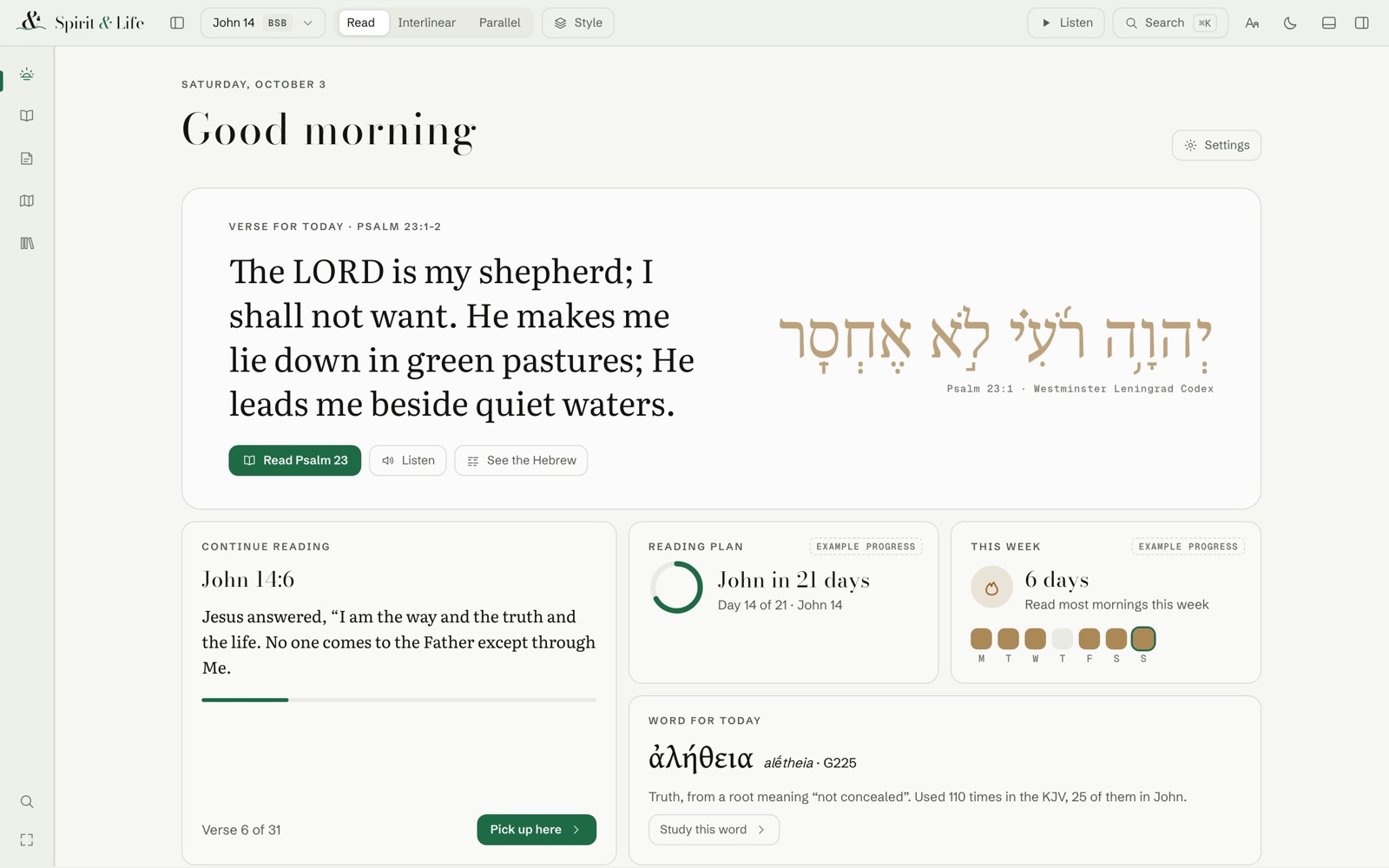
A daily page with a verse of the day, reading plans, your streak and recent chapters.
The app builds plans from the books of the Bible, so they work offline.
Progress and streaks stay on your device.
WebDesktopMobile
Notes and highlights
Highlight in several colours, write notes on verses, filter them and export your work.
Notes Studio keeps notes in tiers, with filters by passage, colour and tag.
You can export your notes as Markdown, JSON or CSV.
Any note can be read aloud.
Limits today Backup import and restore is not built yet. There are no accounts or sync; notes stay on the device.
WebDesktopMobile
Library and offline packs
Download only the translations and resources you want, then read without a connection.
Phones ship with the BSB, KJV and Strong’s. Everything else is an optional download, checked before it is installed.
The catalogue has 82 packs, including 51 Bible editions.
WebDesktopMobile
Install and offline
The web version installs like an app and keeps working offline after the first visit.
The app and your downloaded translations stay on the device, so you can read without a connection.
WebDesktopMobile
04
Explore
Maps and a timeline that show where and when events took place.
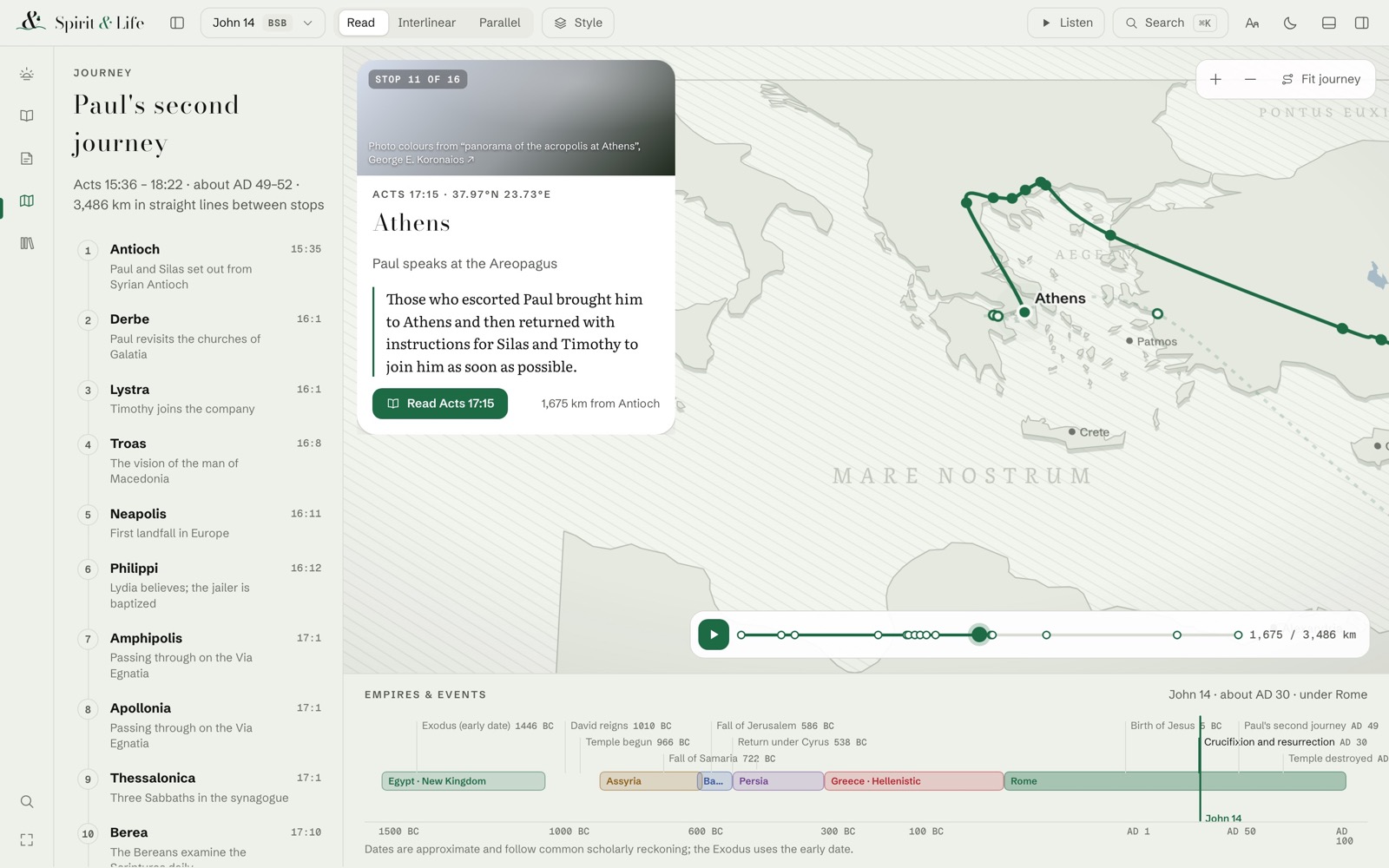
Atlas and timeline
Maps, journeys and a timeline that place the text in space and time.
Six journeys with 298 stops.
Places link back to the verses that name them.
Limits today Stops follow the order the text first mentions them, not verified travel routes. Character profiles have barely started: one sample exists.
WebDesktopMobile
05
Listen
Hear the text read aloud, or say a reference to open it.
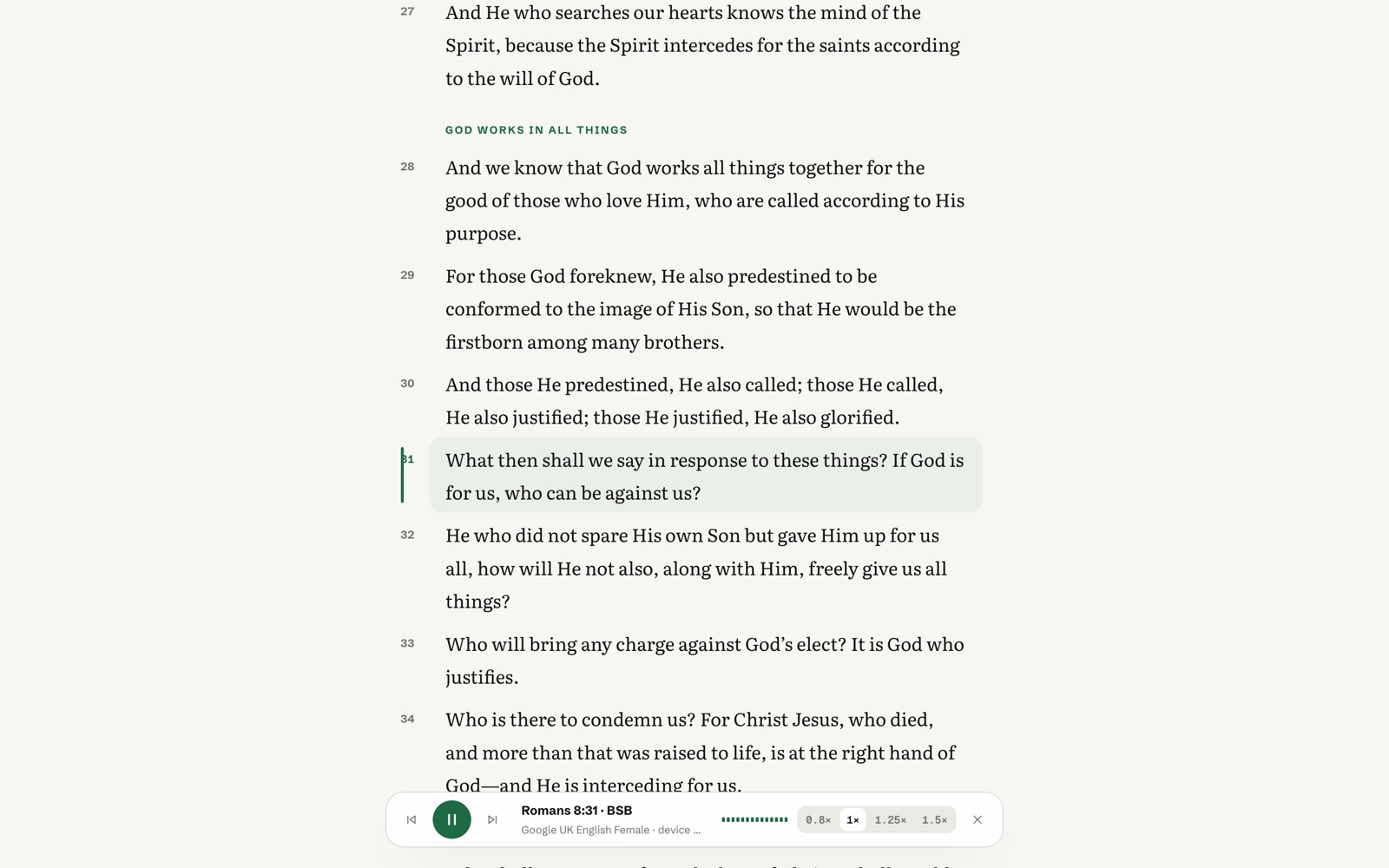
Read aloud
Listen verse by verse with your device’s voices, a natural voice that runs on the device, or a voice service you choose.
Device voices are already on your phone or computer. They highlight each word as they read it.
The natural voice runs on your device after a one-time download.
You can also choose a voice service of your own.
Limits today Recorded narration exists for John 14 only, and it still needs review.
WebDesktopMobile
Live listening
Say a reference such as “John three sixteen” and the app opens it, all on the device.
Recognition runs locally. Audio is discarded after use and never sent to a cloud service.
Auto opens each reference it hears. Approve waits for you. Hold and Undo are always there.
Limits today Accuracy is not certified yet. Tests used synthetic voices, not real speakers. Mac only for now.
WebDesktopMobile
Spoken commands
Say “next verse”, “go to chapter four” or “use KJV” while listening is on.
Only a whole phrase counts as a command, so “in the next verse he says…” does nothing.
About 45 translation names and 28 codes are understood.
Limits today Tested in code; not yet tried with a live microphone.
WebDesktopMobile
06
Present
Put Scripture on a second screen for a room full of people.
Presentation window
A clean audience screen for projection, with monitor choice, pagination and Blackout.
Shows only Scripture and its reference. Transcripts and controls stay on your screen.
The reader and the projector each have their own Auto and Approve modes.
WebDesktopMobile
Network video output
Send the audience view over your local network to presentation software in the room.
Off by default each session. It sends only what the audience window shows.
Your presentation software receives it as a live video source.
Limits today Tested on one machine so far. A test with presentation software on Windows is next.